
Image Resizer & Compressor
Ultrazon.com · Photo & Video
- Version1.0
- Size39.2 MB
- NeedsAndroid 7.0
The download is free and complete: every feature is there. The app shows ads — a banner, and now and then a full-screen picture or short video.
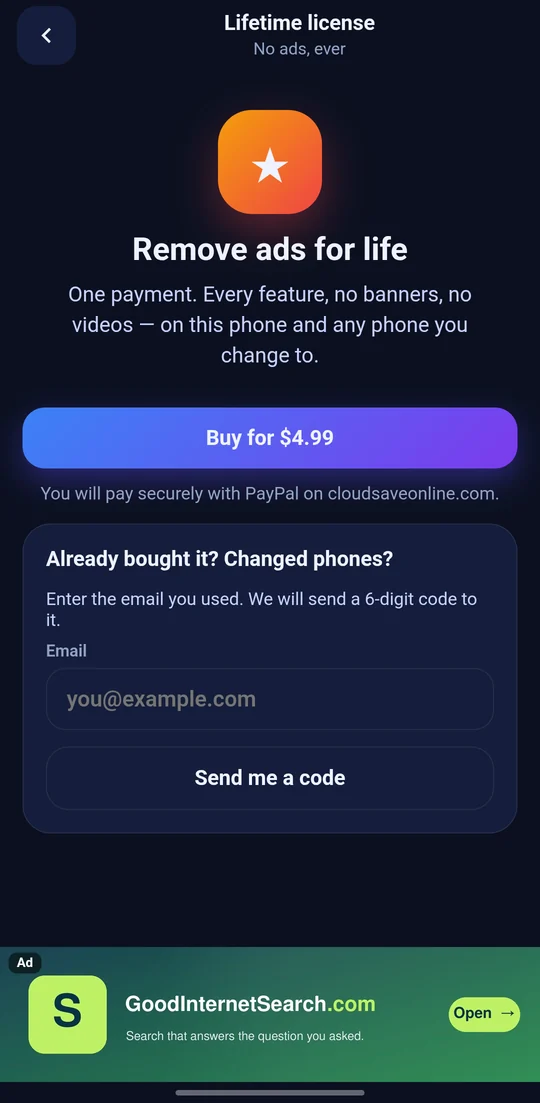
A lifetime license for $4.99 removes the ads for good. You pay once, here on GoodsAppStore with PayPal, and it follows you to a new phone with your email. Nothing renews.
On a bank or card statement it shows as PAYPAL *ULTRAZON.
About Image Resizer & Compressor
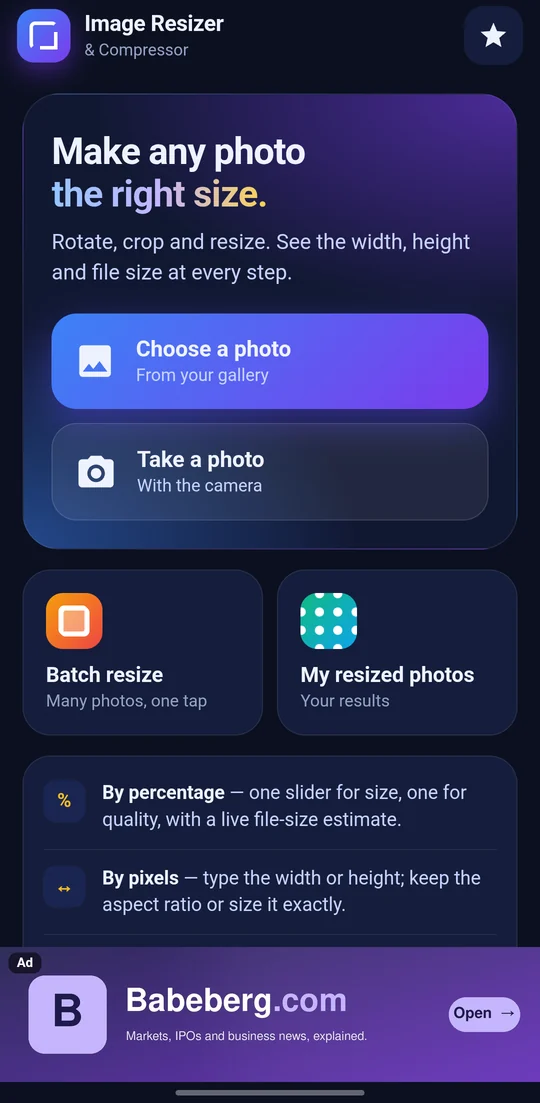
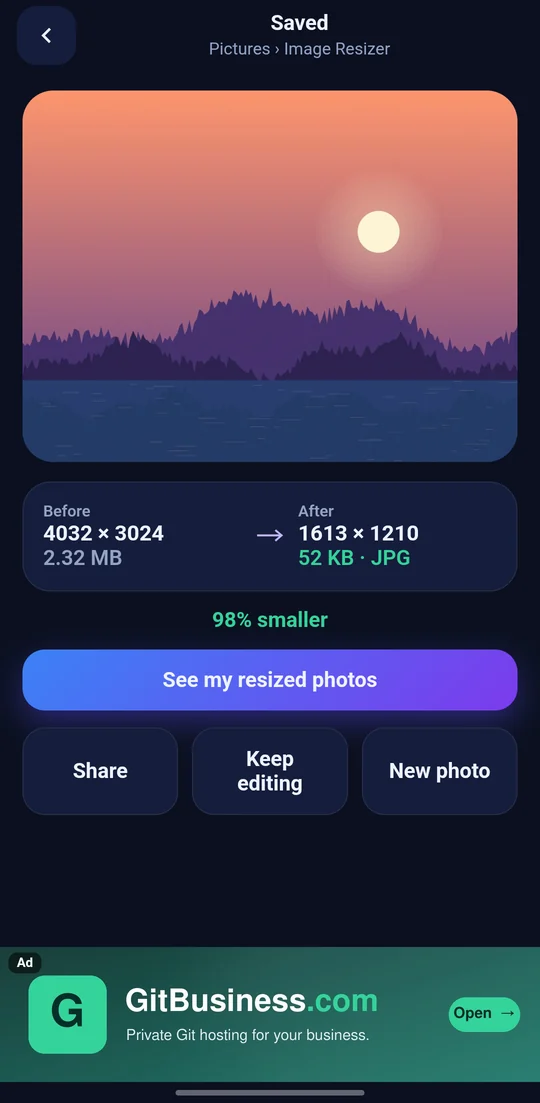
Make any photo the size you need: smaller to send, the right shape to post, or exactly the dimensions a form asks for. Width, height and file size are on the screen the whole time, and the new size is worked out before you save.
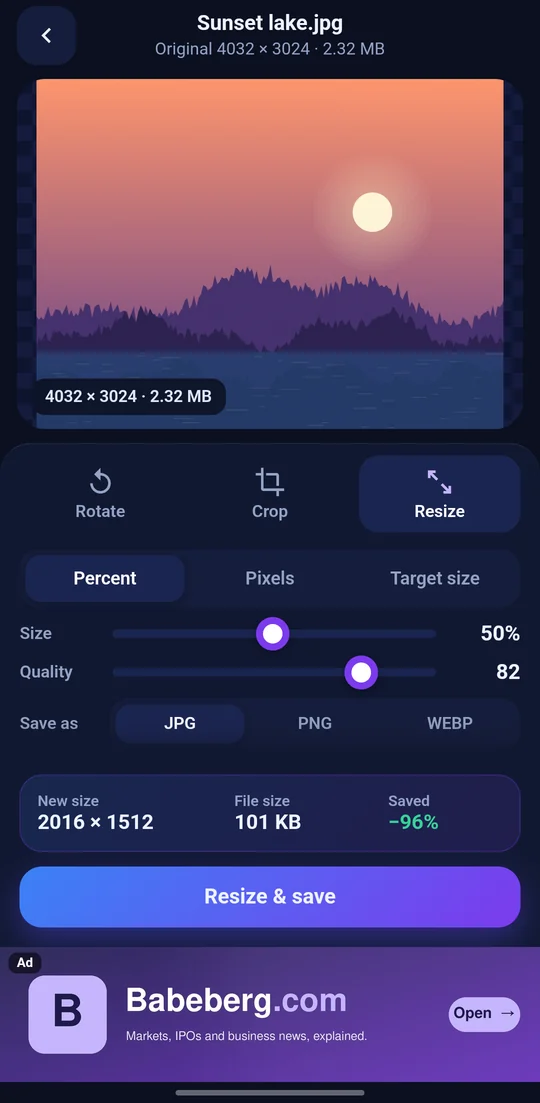
RESIZE BY PERCENTAGE One slider for the size, one for the quality. Move either and the new width, height and file size update at once, with how much smaller it will be.
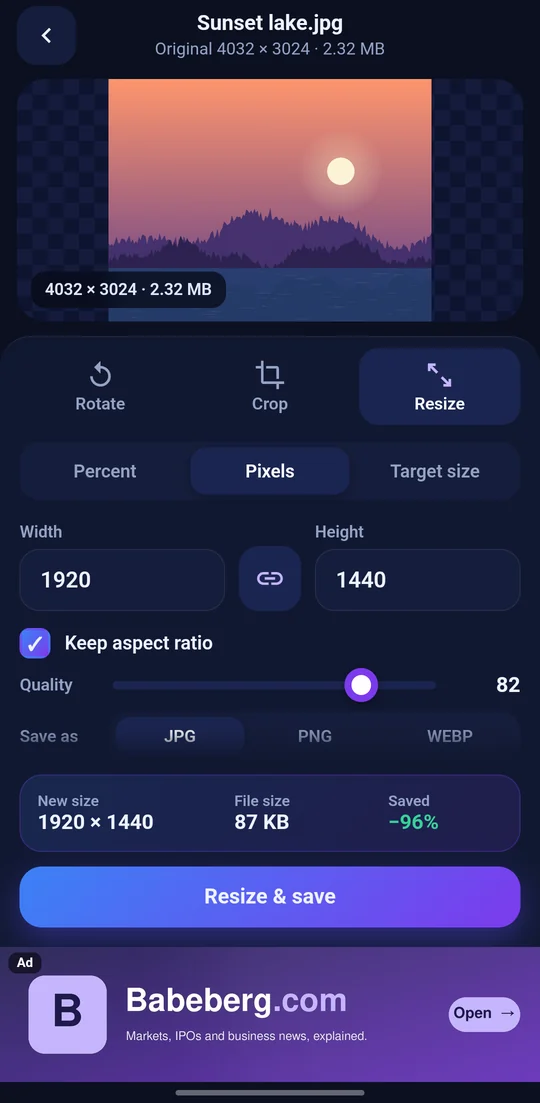
RESIZE BY PIXELS Type a width and the height follows, or type a height and the width follows, so nothing is stretched. Untick Keep aspect ratio and you can set any width and any height at all, for the times a size has to be exact.
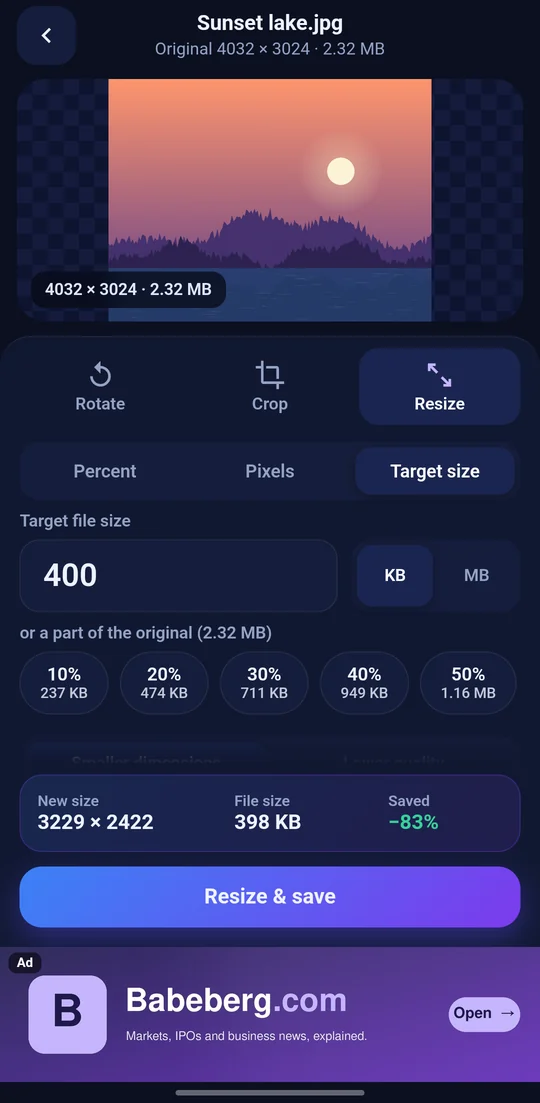
RESIZE TO A FILE SIZE Type the size you are allowed, say 890 KB or 2 MB, or tap 10% to 100% of the original. Then choose how to get there. Smaller dimensions keeps the quality and the shape, and shrinks the width and height together until it fits. Lower quality keeps the width and height, and finds the best quality that still fits. Either way it tells you what it did: "Resized to 2951 x 2213 (same aspect ratio) at quality 85, 886 KB".
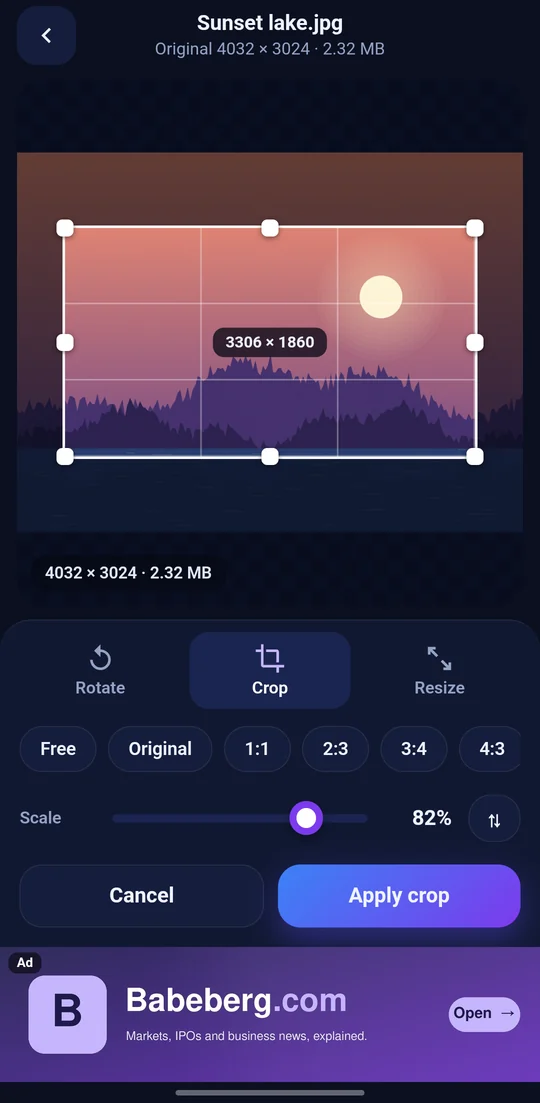
CROP A frame with handles you drag and stretch. Leave it free, or lock it to 1:1, 2:3, 3:4, 4:3, 9:16 or 16:9, or to 720p (1280 x 720) and 1080p (1920 x 1080), which crop and size it in one go. Your own ratio too, such as 5:4 or 1200:628. A Scale slider shrinks the frame without losing its shape, and one button turns it between portrait and landscape.
ROTATE AND MIRROR Left, right, 180 degrees, or mirrored. Undo goes back a step.
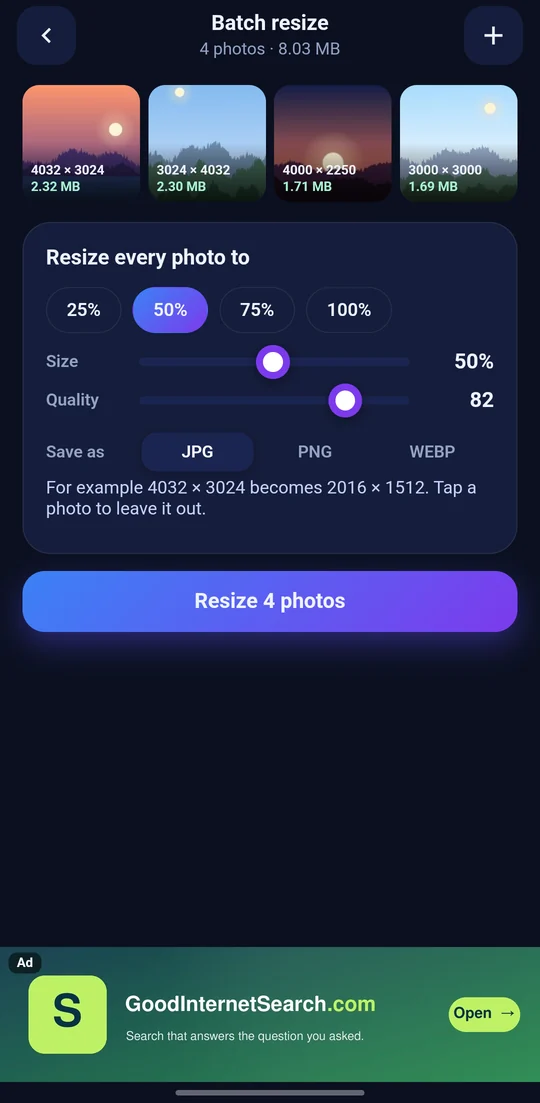
MANY AT ONCE Choose a whole set of photos and resize them all by the same percentage in one tap. 25%, 50%, 75% are a tap away, or set your own with the slider.
JPG, PNG OR WEBP Save in whichever you need. WebP is usually smallest; PNG keeps every pixel. Photos open from JPG, PNG, WebP, HEIC and AVIF, and come in the right way up.
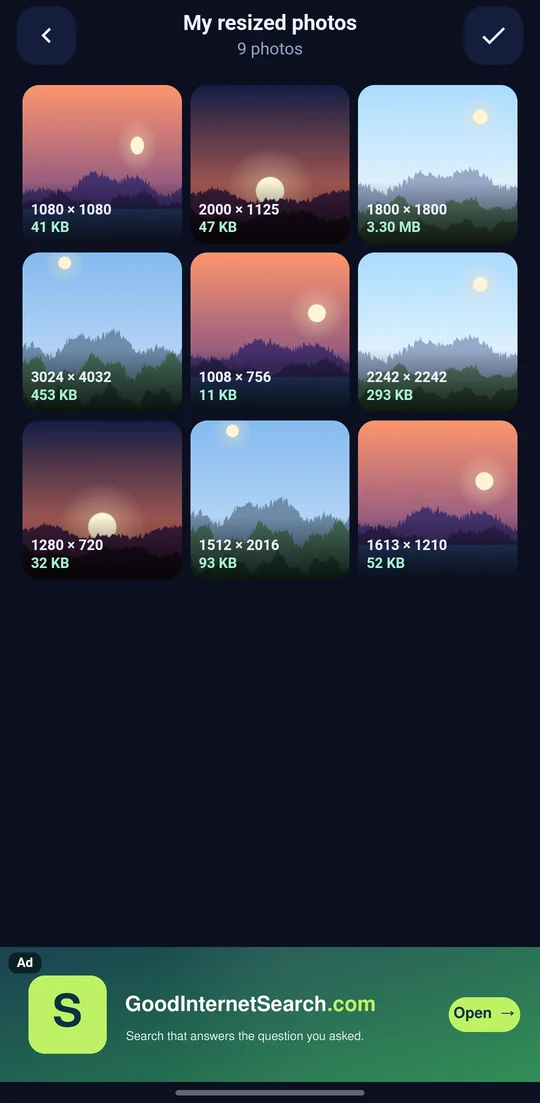
WHERE THEY GO Every result is saved to your gallery under Pictures > Image Resizer, and kept in the app's own photo grid, where you can look at one, share it or delete it.
YOUR PHOTOS STAY ON YOUR PHONE The work is done on the phone itself. Nothing you open, crop or resize is uploaded anywhere.
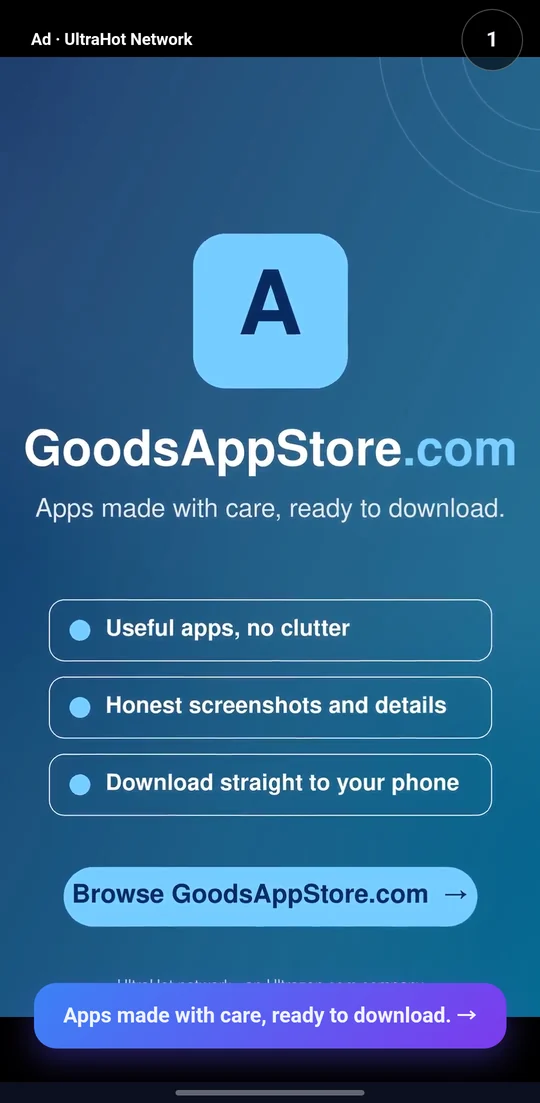
ADS, AND HOW TO TURN THEM OFF The app is free and shows ads: a banner along the bottom, and a full-screen picture or a short video after every five edits, which you can skip after a few seconds. A lifetime license ($4.99, once, bought here on GoodsAppStore at goodsappstore.com/app/imageresizer/license) removes every ad for good. If you change phones, enter the same email in the app and it comes back; a one-time code sent to that email proves it is yours.
PERMISSIONS The camera, and only when you tap Take a photo. Choosing photos uses Android's own photo picker, so the app sees only the photos you pick. The internet, for the ads and the license.
What it is for
A form will only take a picture under 1 MB. A website wants exactly 1200 x 628. A phone photo is 4000 x 3000 and 3 MB, and you only need to send it in a message. Somebody asks for a square picture, or a 16:9 one, and the photo is neither.
The phone can take the picture but cannot make it any of those things, and most tools that can either guess at the file size or ask you to try again until it fits. This one shows the width, height and file size before you save, finds the quality or the dimensions that hit a size you type, and crops to the shapes people actually ask for, one photo or a whole set at a time.
Removing the ads
The app is free, and the ads are how it stays free: a banner along the bottom of the screen, and after every five edits a full-screen picture or a short video, which you can skip after a few seconds.
A lifetime license removes them, all of them and for good. No banner, no full-screen pictures, no videos; once the app is licensed it does not even ask for an ad. It is one payment of $4.99, made with PayPal right here on GoodsAppStore, and there is nothing to renew. The license is for Image Resizer & Compressor; other apps that offer one have their own.
On the license page you enter the email you will use in the app, and pay with PayPal. A receipt is sent to that email.
Then, in the app, tap the star at the top and enter the same email. A 6-digit code is sent to it to prove it is yours, and the ads are gone. Changed phones? Do the same on the new phone and the license comes back. Every feature is the same with or without it; the license only takes the ads away.
goodsappstore.com/app/imageresizer/license
On your bank statement
GoodsAppStore.com is an Ultrazon.com Software Business: the store, the app and its lifetime license all come from Ultrazon.
When you buy the Image Resizer & Compressor lifetime license here, your bank or card statement shows the charge as PAYPAL *ULTRAZON for $4.99. That is this license; PayPal takes the payment for it.
More about it: goodsappstore.com/ultrazon_business. Questions about a charge: billing@goodsappstore.com.
What it looks like
What you are downloading
| Package | com.cloudsaveonline.imageresizer |
|---|---|
| Version | 1.0 (1) |
| Published | 5 November 2026 |
| Size | 39.2 MB |
| Built for | arm64-v8a, x86_64 |
| Needs | Android 7.0 and up |
| Price | Free to download, with ads $4.99 lifetime license removes the ads |
Checksum of the file
0ff8efb6 618b2e32 e57649e4 eb1a416f e9468f86 c4759eb0 35849fa8 374eda7a
Signed by
96ffb9c4 7da0ec53 7a6aeb2e fd2c0189 ebf4f156 bdc0742f 80d3311c 5922d35f
Every version of this app is signed with the same key. If that second value ever changes, it did not come from the same hands — and Android will refuse to install it over the one you have.