mLinuxNoteText
LinuxDoors.com for android · Developer
- Version1.1
- Size45.2 MB
- NeedsAndroid 7.0
- Downloads40
$0.00, and that is the whole of it — no trial timer, no licence key, no account to make, and nothing held back for a paid version. What you download is the entire app.
Some apps in this store carry a price, for the hours of designing, building and testing them and the bandwidth that carries them to you. This one does not. Nothing is owed and nothing will ask.
Nothing is asked for it and there is nowhere here to pay — the price is the price, and for this one it is nothing.
Everything in this store works the same way: you download it first, use it for real, and pay if it earns a place in what you do. There is no payment wall anywhere here, on any app.
This one is priced at $0.00, so there is nothing to pay and nothing to decide. Use it for as long as it is useful to you.
The apps that do carry a price work the same way round: the download is complete and unlocked first, and paying comes after it has proved itself — never before.
About mLinuxNoteText
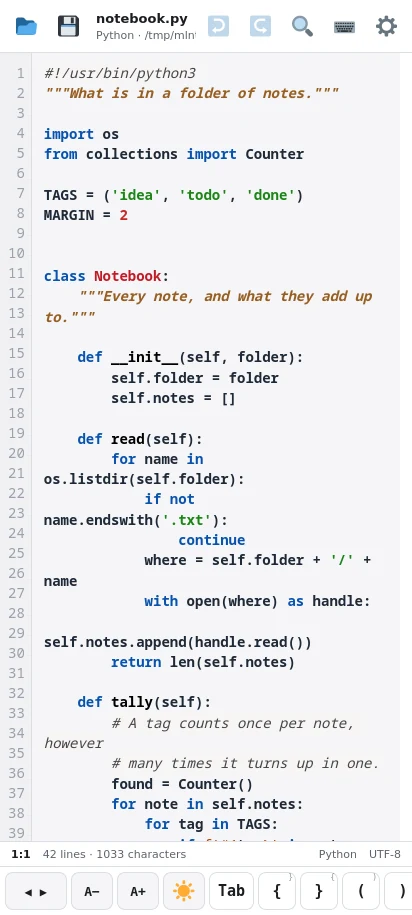
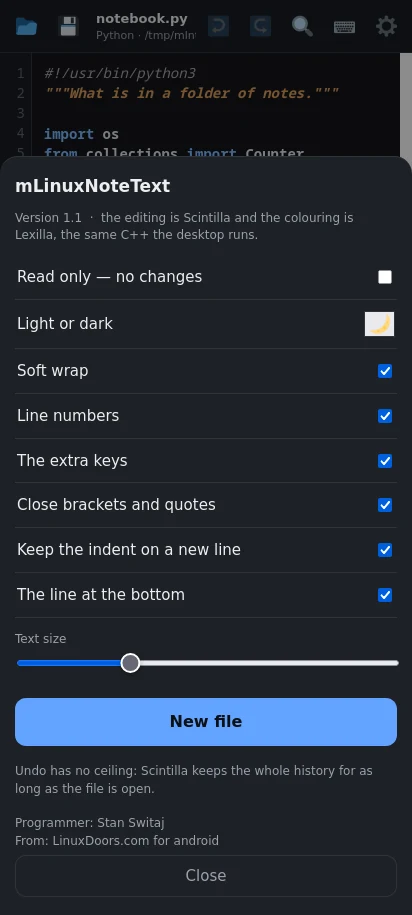
LinuxNoteText, on a phone. Not a text box with a monospace font: the desktop's editing engine, built for Android, with the things a phone needs added around it.
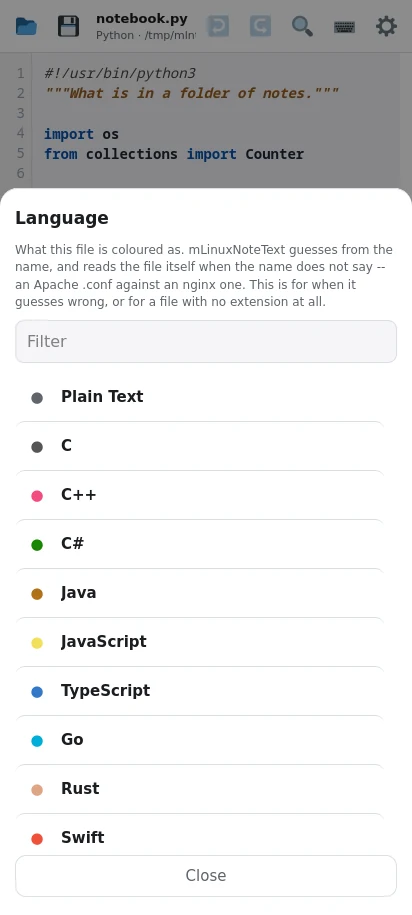
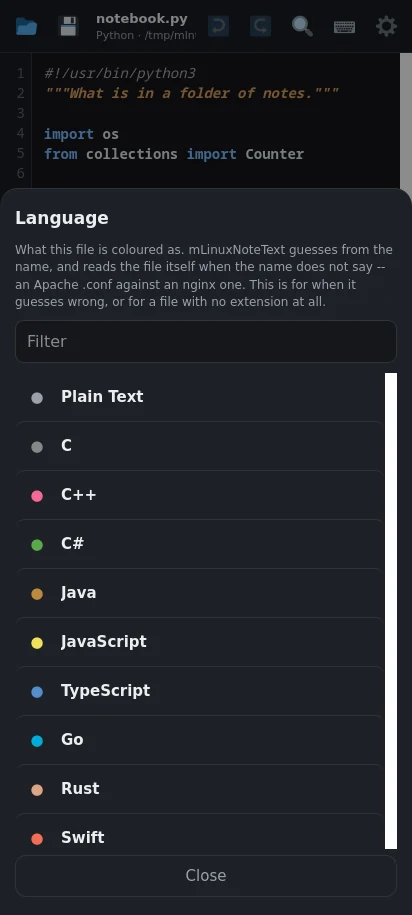
THE SAME ENGINE AS THE DESKTOP Scintilla, in C++, compiled for the phone -- the editing component behind LinuxNoteText, SciTE and Notepad++. The colouring is Lexilla's, which is Scintilla's own. Fifty-three languages, from Python and C to Apache, nginx, Kotlin, Rust and Makefiles. The Python colours are read from the desktop's own theme file, so the two match rather than merely resemble each other.
MORE THAN ONE FILE AT ONCE Open several and move between them. Each keeps its own place on the page, its own caret, and its own undo history. A file already open is switched to rather than opened twice.
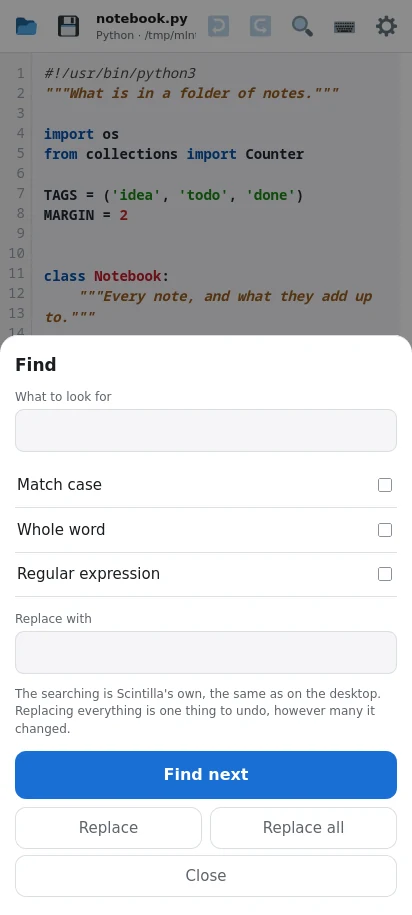
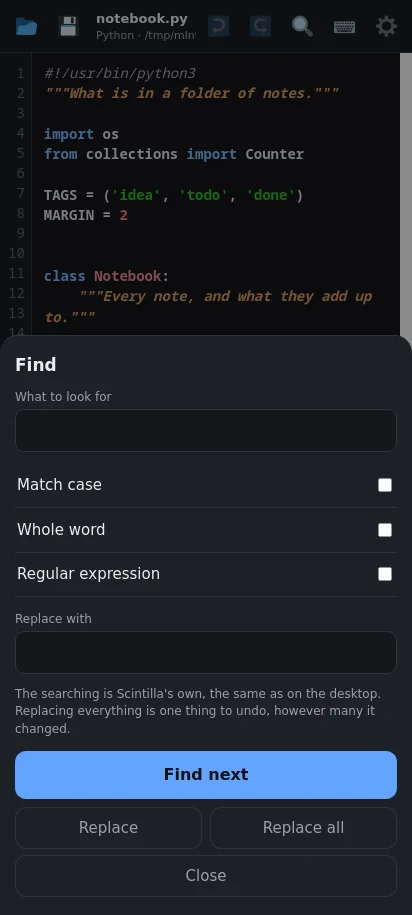
FINDING THINGS Find and replace, with match case, whole word and regular expressions. Go to a line by number. Whatever is found is marked along the whole line, not left as a thin tint under your thumb -- and the mark clears when you touch the text, but stays while you type, because the usual reason to find a line is to change it.
BUILT FOR A THUMB A row of keys a phone keyboard does not have: Tab, brackets, braces, quotes, and a trackpad to drag the caret one character at a time -- which is the cure for the worst part of editing code on glass. Hold a key for its alternates. The keyboard itself is one button away, and the button lights while it is up.
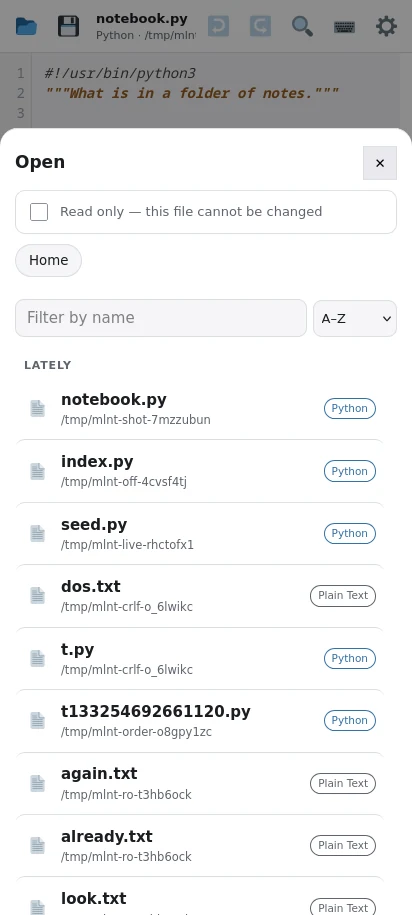
READ ONLY WHEN YOU WANT IT A switch, on whatever file is open, either way. With it on, the document refuses every change in Scintilla itself -- not merely a greyed-out button, but the buffer declining to be written to. Useful for reading something you would rather not fat-finger.
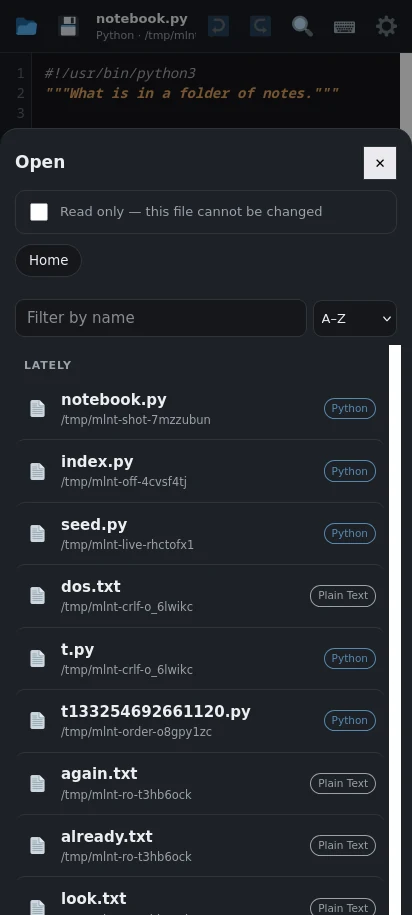
IT KEEPS YOUR PLACE Reopen a file and it comes back where you left it, four hundred lines down if that is where you were. Recent files are listed first, because the top of the filesystem is nobody's starting point. It saves on the way out: an Android app is ended without warning, and that is the last moment anything is certain to run.
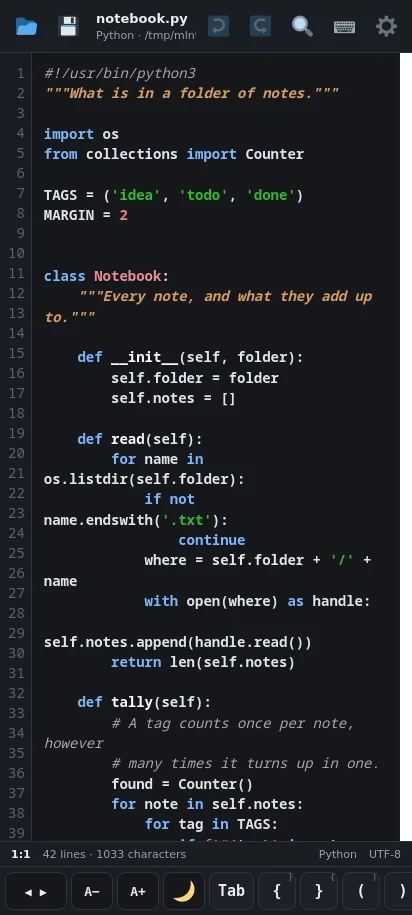
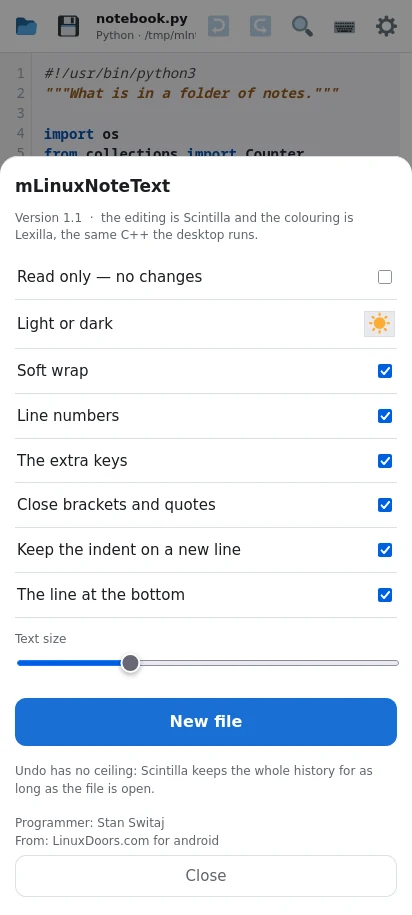
THE SMALL THINGS Brackets and quotes close themselves, and can be told not to. A new line keeps the indent of the one above. Soft wrap, line numbers, and text size, all as you like them. Light or dark, remembered.
WHAT IT DOES NOT DO No account. No advertising. Nothing it does leaves the phone: the editor talks to itself over a socket that only this app can reach, with a key that is made fresh each time it starts. It asks for your files and nothing else.
Free.
What it is for
You are away from the desk and something needs a small change -- a config file, a script, a page of notes. The phone will happily show you the file. Editing it is another matter: most editors on a phone are a plain text box with no colours, no way to find anything, and no idea what a Python file is. Type a bracket and you are on your own.
This is the editor from the desktop, made to fit a phone. The same Scintilla that runs LinuxNoteText on Linux is compiled into this app as C++, and the colouring is Lexilla's -- the same lexers, the same rules, the same answer. A file looks the same here as it does at the desk, because it is the same engine reading it.
What it looks like
What you are downloading
| Package | com.mLinuxNoteText.mLinuxNoteText |
|---|---|
| Version | 1.1 (2) |
| Published | 17 September 2026 |
| Size | 45.2 MB |
| Built for | arm64-v8a, x86_64 |
| Needs | Android 7.0 and up |
| Price | $0.00 · Free |
Checksum of the file
09d9fca1 6d92c53d 9e6d1d3e 8e154de8 dcb6d10b cf306c73 1231824c f850fc9c
Signed by
5546bdc0 72385458 c9573859 c82dc4d8 b7354f8a eb8dd2e3 784fb65c bdbc5730
Every version of this app is signed with the same key. If that second value ever changes, it did not come from the same hands — and Android will refuse to install it over the one you have.
Earlier versions
| 1.1 17 September 2026 | 45.2 MB |
|---|---|
| 1.0 15 September 2026 | 45.2 MB |